A dusty lens invites a quick wipe with whatever cloth is nearby, but dragging particles across an optical surface is an avoidable risk. Begin with the lens manufacturer’s cleaning instructions and identify what you are dealing with: loose dust, a fingerprint or a mark that may be inside the lens. Those do not all call for the same treatment.
Inspect before touching
Work in a clean, well-lit area and secure the camera or detached lens as its instructions require. Look at the exposed surface from an angle without placing fingers on it. A little external dust does not justify aggressive polishing. If the mark appears beneath the surface, on an internal element or in another inaccessible place, do not dismantle the lens. External cleaning will not reach it, and a service assessment is a more sensible next step.
Remove loose particles first
Use a suitable photographic blower as directed by the equipment maker to dislodge loose dust. Keep its nozzle from touching the surface. Nikon’s camera-care instructions describe blowing away dust before carefully treating fingerprints or stains. Check the instructions for your particular product, especially if it has a special coating or exposed component.
Avoid substituting an improvised high-pressure source or blowing with your mouth. Keep the work area clear so removed dust is not immediately returned by a dirty cloth or cap.
Use the minimum suitable wiping
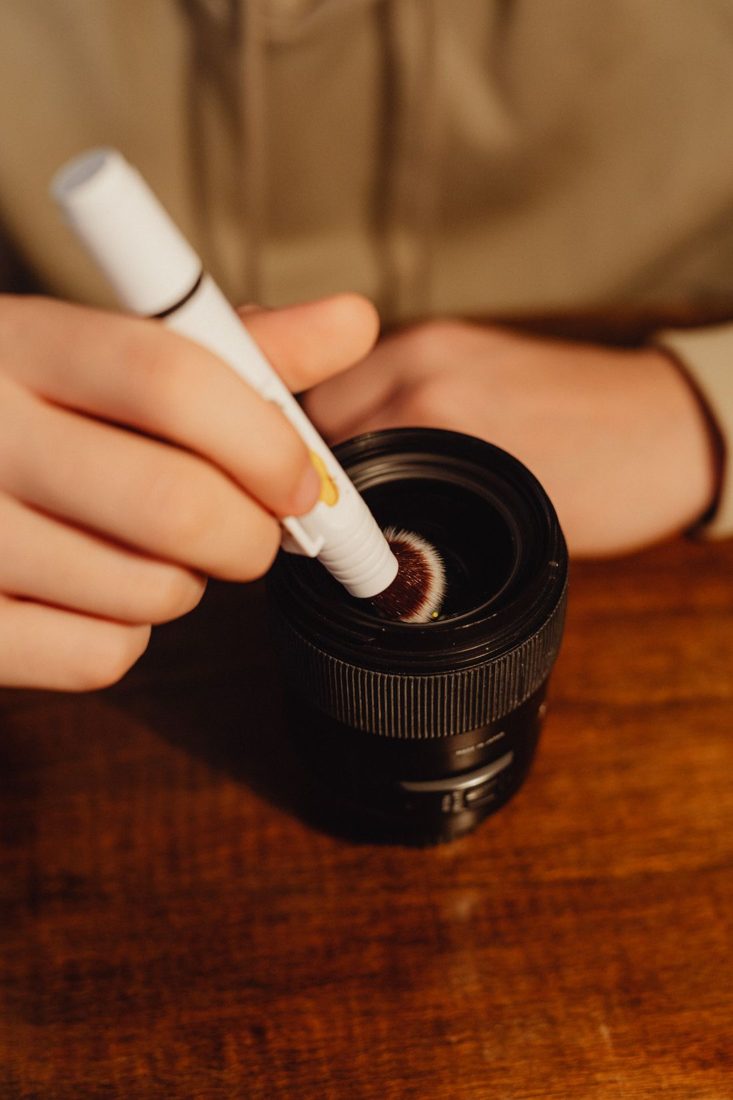
If a fingerprint remains, use the lens-cleaning material and fluid permitted for the lens. Follow the product directions for applying a small amount to the appropriate cleaning material rather than soaking the lens. Wipe gently as instructed and inspect again. Do not scrub repeatedly at a stubborn patch. Household tissues, clothing and cloths used on the camera body can carry particles or residues that are unsuitable for an optical surface.
Keep the cleaning kit clean
Store lens cloths and tools in a clean container rather than loose in the bottom of a camera bag. Check the cloth before each use and replace or wash it according to its own guidance. Clean dust from the inside of the cap without transferring grime back to the glass. Once the surface is clear enough for normal use, stop. Repeated unnecessary wiping adds handling without solving a photographic problem. Seek appropriate service for persistent residue or suspected damage.
Careful lens cleaning is a sequence of small decisions: inspect, remove loose particles, treat only what remains and stop before routine care turns into forceful polishing. Follow the specific lens instructions and keep the cleaning materials clean. A protected lens and a clean cap reduce how often you need to repeat the process.